Virtual Architect Home & Landscape Platinum
Design a Professional Presentation of Your House
Secure Online Ordering. Our Systems are tested daily by McAfee and secured by SSL

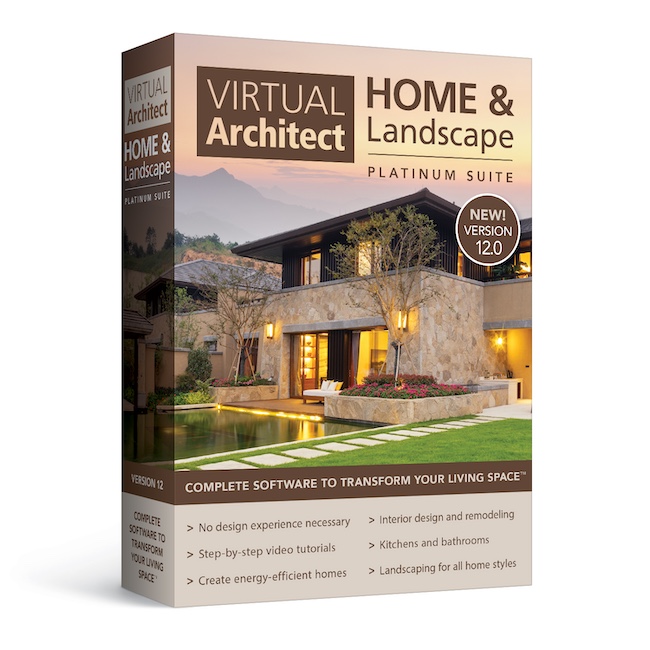
- Easy! No design experience necessary.
- Fast! Wizard-driven interface means quick results!
- Innovative! Use your own digital pictures to make over any room.
- Powerful! Photo-realistic 3D technology with virtual walkaround.
- Flexible! Perfect for home and interior design, remodeling, landscaping and much more.
- Complete! Thousands of 3D graphics help you visualize and plan your space.
- Free! Video tutorials
- *NOTE* System Requirements! Please verify your system meets the minimum requirements before purchasing. (See below)
Secure Online Ordering. Our Systems are tested daily by McAfee and secured by SSL
Take a fresh approach to the way you live with Virtual Architect Home & Landscape Platinum Suite. This innovation in home design software delivers the powerful tools and inspiration you need to transform your living space, plus expert help to get the job done right.
With Virtual Architect Home & Landscape Platinum Suite, you can plan room additions and other home improvement projects with ease, make your home energy efficient with new lighting and appliances, breathe new life into an outdated kitchen, bathroom or bedroom and so much more. You can even design your dream home, complete with landscaping or a deck, from scratch. No design experience necessary – with our wizard-driven interface, all you have to do is point and click!
Take a fresh approach to the way you live with Virtual Architect Home & Landscape Platinum Suite. This innovation in home design software delivers the powerful tools and inspiration you need to transform your living space, plus expert help to get the job done right.
With Virtual Architect Home & Landscape Platinum Suite, you can tackle home improvement projects with ease, make your home energy efficient with new appliances, breathe new life into an old kitchen or bath and so much more. You can even design your dream home, from scratch. No design experience necessary – with our wizard-driven interface, all you have to do is point and click!
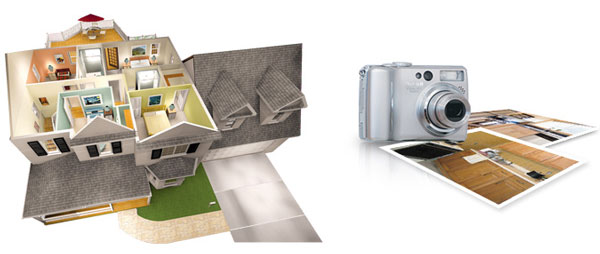
from Scratch
Your Own Photos
Redecorate rooms using your digital photos. Just point and click to choose paint colors, stains, fabrics and more from our complete library of nationally-known name brand materials.
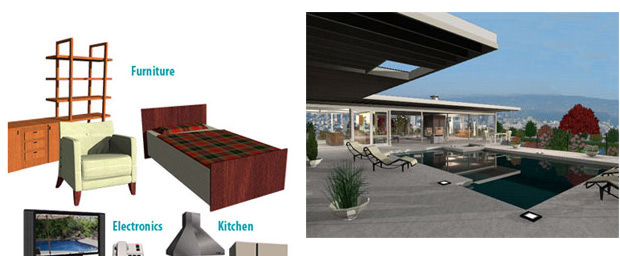
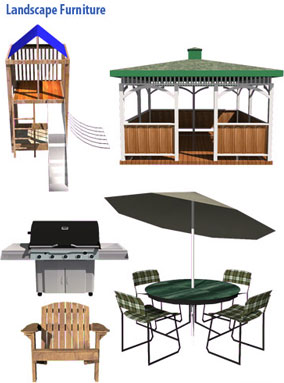
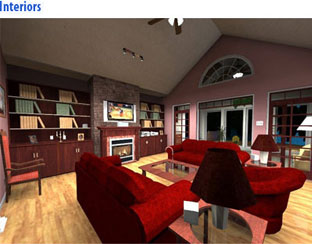
We've included hundreds of tables, chairs, sofas, dressers, and much more in virtually every style imaginable, 1plus a complete library of large and small appliances and electronics.
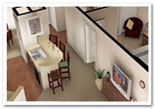
Easily plan room additions, remodeling and other projects. Then see the results in photorealistic 3D! Even take a virtual “walkaround” your new space.
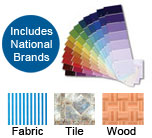
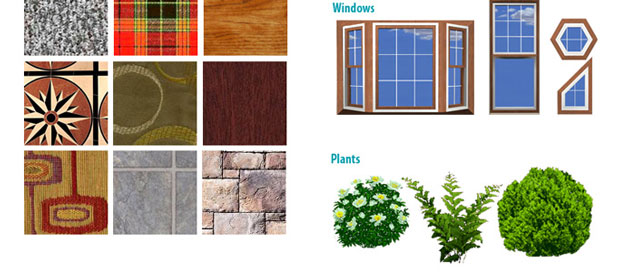
Replace your floors with hardwood, travertine or scores of other surfaces. Explore new fabrics and leather upholstery options for sofas and chairs. Even scan in your own texture or material.
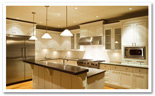
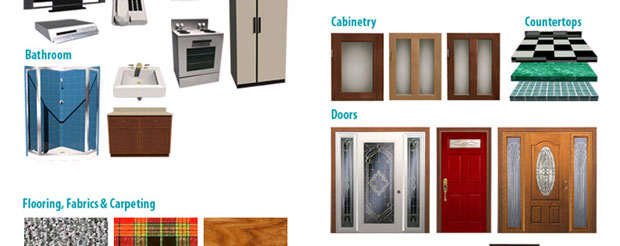
We've included all of the tools you need to refinish cabinets, lay new floors, and replace countertops with granite and marble surfaces.
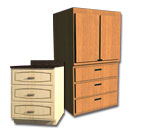
Add style and functionality to any kitchen, bathroom, home office or pantry with our collection of cabinetry. Then customize with choices of woods, paints and stains.
- Wall Systems - Walls have been completely re-imagined, allowing for precise depiction of construction methods and materials. The new wall system element in V12 enables multiple finishes on either side of the wall. Each wall comprises a core and limitless layers of materials, including sheathing, insulation, and finishes.
- Trim Packages - In conjunction with the new wall system, wall trim boards can now be applied at both the project level and on a per-wall basis. Choose a trim package to apply to all walls in a project or select specific trim for individual walls. You can easily switch out the entire trim package for the project.
- Trim boards are defined within trim packages, allowing for compound trims and unlimited custom trims. Trim boards can be easily applied to sloped walls, gable frieze boards, and framed openings. Additionally, there are options for how trim boards behave on walls with multiple finishes giving you expanded control.
- Patterned Mode - All hatch patterns now support both a hatch pattern and a solid fill background color, enhancing the appearance of elevation views. This feature allows you to show the hatch pattern with a defining color behind it, elevating the overall look of your model.
- Cut Height - The cut height for a plan view is now configurable from the Locations dialog. Whether a 5-foot cutting plane better displays the features of the floor plan or a 2-foot cutting plane reveals more detail, you can choose the cutting plane height that works best for your project.
- Surfaces - By user request, surfaces can now be created and displayed independently of floors, ceilings, or roofs. Using the surface tool, you can represent any horizontal or sloped surface, with each surface’s visibility controlled separately.
- Roof to Surfaces – Roofs can now be converted to surfaces for finite customization.
- Window and Door Marks - The auto mark style now supports the industry standard “3040” mark style. Update the window size, and the tag will adjust automatically!
- Center Opening - You can now right-click on an existing opening to center it within the wall. You can then drop your windows in quickly and easily adjust them after the fact for an efficient model and working drawing creation.
- Cabinet Swings—Parametric cabinets now support left and right swing doors. You can change the swing on the fly and illustrate precisely how the cabinet will appear.
- IFC Import/Export - The IFC Import has been enhanced to recognize models created by any design software. The extended support includes additional elements, improved fault tolerance, and wall conversion.
- Sketchup Import - Expanded support for SketchUp blocks with the recognition of transparent textures and the ability to optimize imports by recognizing single-sided elements.
- New Textures - We sourced the latest new materials and put them in the catalog so you can design with all the latest textures.
- New Blocks - We curated the catalog to remove dated elements and add new content so you have the latest elements for your projects.
| For Makeovers and Remodeling | ||||||||||
| Powerful Home Design Features | ||||||||||
|
||||||||||
| Flexible Interior Design Features | ||||||||||
|
||||||||||
| Realistic Visualization Features | ||||||||||
|
||||||||||
| For Home Design, Kitchen, and Baths | ||||||||||
| Powerful Home Building Features | ||||||||||
|
||||||||||
| Complete Kitchen and Bath Design | ||||||||||
|
||||||||||

Add Digital Photos to Any Design
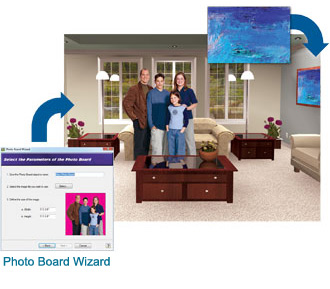

Change paint, stain and fabric colors in your own digital photos. We've even included real paint colors from nationally known brands.
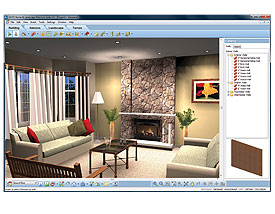
Want to update your kitchen? Considering a small project like refinishing cabinets or a totally new space complete with granite countertops, hardwood floors, stainless steel appliances and more? Whatever size project you have in mind, Virtual Architect’s kitchen design software gives you the easy yet powerful creative tools needed to turn your dreams into reality today!
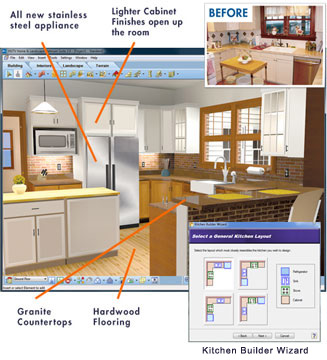
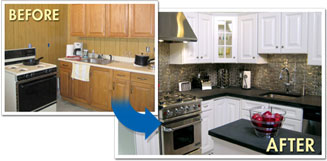
Get Started Fast - Just import photos of your current kitchen or use the kitchen design wizard to sketch out an entirely new room. With just a few clicks, you can see what your kitchen will look like before investing in costly labor and materials!
Select Materials Easily – You can easily select from a wide variety of materials using Virtual Architect kitchen design software:
- Paint & Fabrics - select paint, stain and fabric options from leading national brands.
- Countertops - choose from granite, marble, slate, ceramic tile, and more.
- Cabinets - pick from 200+ different styles and apply the finish of your choice.
- Appliances - explore an extensive library of new kitchen appliances and home electronics.
- Flooring - replace your floors with slate, hardwood, ceramic tile and more.

Photo-realistic 3D Views - Virtual Architect's powerful design software lets you take a virtual tour and experience your newly designed kitchen in brilliant 3D!
No Design Experience Necessary – Facing a remodel can be a daunting but Virtual Architect's bathroom design software makes it easy using a wizard-driven interface.
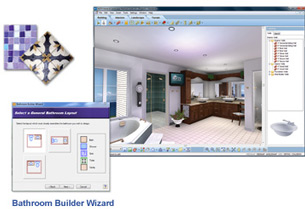
Photorealistic 3D Views – Virtual Architect’s powerful bathroom design software lets you take a virtual tour and experience your newly created bathroom in brilliant 3D!
Get Started Fast – Easily upload photos of your current bathroom or use the bathroom design wizard to outline and create the room you've always imagined. Virtual Architect's bathroom design software allows you to see what the finished project will look like before you start construction.
- Select Materials Easily - Choose from extensive bathroom brands.
- Wall Color - select paint options from leading national brands.
- Countertops & Cabinets - choose from marble, slate, ceramic tile, limestone, quartz, granite, and more, plus 200+ different cabinet styles and finishes.
- Wall Color - Select paint options from leading national brands.
- Sinks - pick from a wide variety of styles.
- Flooring - Replace your floors with ceramic tile, travertine, slate and more.
- Bathtubs - visualize a new deck-mounted, integrated or free-standing bathtub.
Bathroom Ideas – Need ideas for matching favorite materials? No problem. From traditional to contemporary, Virtual Architect software is fully loaded with great design ideas for an impressive new space. 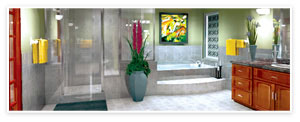
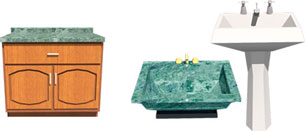
Select from 200 + different styles. Then apply the finish of your choice.
Choose from a wide variety of styles.
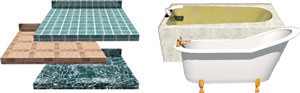
Choose from marble, slate, ceramic tile, limestone, quartz, granite, and more.
Visualize your new deck mounted, integrated or free-standing bathtub.
Redecorate rooms using your digital photos. Just point and click to choose paint colors, stains, fabrics and more from our complete library of nationally-known name brand materials.
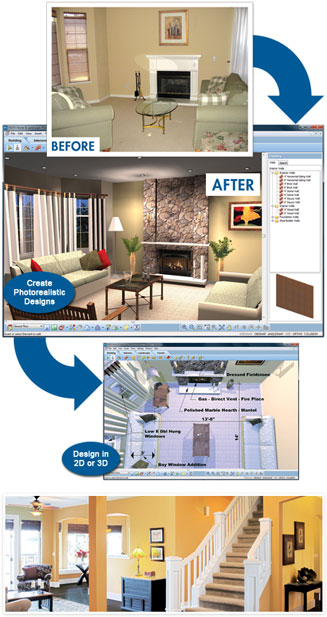
With Virtual Architect’s interior design software you can:
- Upload photos of your existing room or use the design wizard to sketch out a new space.
- Visualize interior design projects before investing time and money on the real thing.
- Design in photo-realistic 3D and even generate a "Virtual Walkthrough."
No Design Experience Necessary – Virtual Architect’s interior design software uses a wizard-driven interface making interior decorating a breeze!
Get Started Fast – Scan in current photos of your room or use the interior design wizard to sketch your space. Using drag and drop technology you can effortlessly discover a new design style!
Select Materials Easily – Explore our extensive materials library:
- Choose paint, stains, and fabrics from leading national brands.
- Select from a wide variety of furniture, appliances, electronics and fixtures.
- Pick your favorite flooring and cabinets for kitchens and baths.
- Even upload photos of existing furniture and see how it looks rearranged.
*The 2D Plant Library is being deprecated and will not be supported in future releases. The phase-out includes the plant encyclopedia, plant growth over time, and seasonal change features. In its place, a comprehensive library of 3D plants is included in the release. Please note the 2D Plant Library will no longer work with earlier versions of the software.
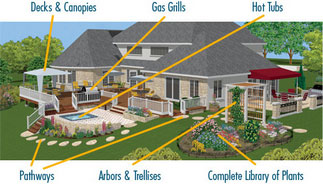
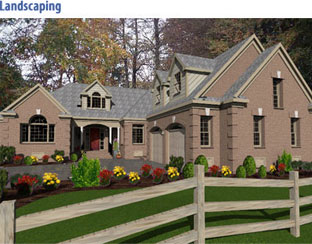
There's never been an easier way to plan and visualize a beautiful, functional landscape than with Virtual Architect Home & Landscape software! From lighting to pathways, decks to gazebos and more, you can transform your outdoor living space in no time at all!
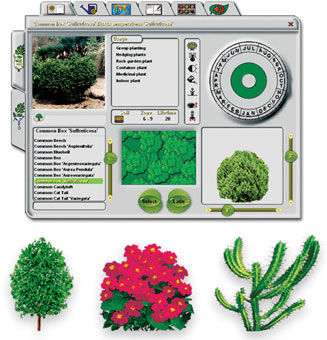
With an extensive Plant Encyclopedia and Irrigation Planning tool, you’ll save time and money using this garden design software before breaking ground.
Plant Encyclopedia: With over 7,500 plants, trees, flowers, shrubs and groundcover options to choose from, you can customize your garden any way you like. Want to know what thrives best in different areas of your garden? Virtual Architect garden design software also includes important information about your chosen plants’ climate, water, light and soil requirements!
Irrigation and Lighting: Add an irrigation system with pop-up sprinklers and even customize the spray range to ensure your plants receive necessary water. Place lighting along custom-designed garden pathways to highlight different plantings within your beautiful new garden.
Visualize: With the click of a mouse you can scan in digital photos of your yard to easily add garden design elements. Take a 3D tour of your new yard and even see how plant sizes grow and change from year to year!
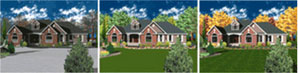
Preview Seasonal Changes
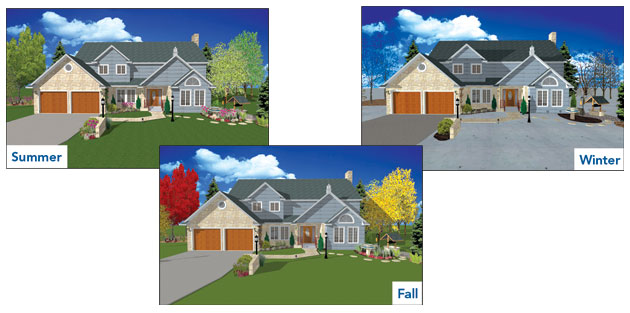
Visualize Plant Growth Over Time
Watch how your landscape will mature over time. From your first year’s planting to 50 years down the line, you can preview your plants’ growth and see how well they will complete your ultimate outdoor living space. 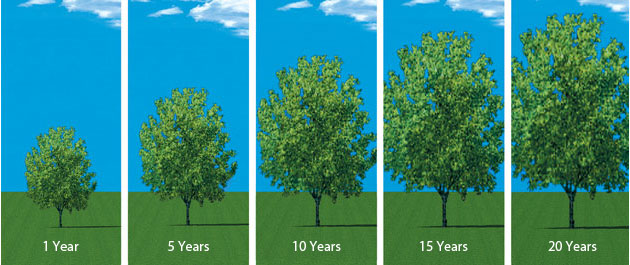
*The 2D Plant Library is being deprecated and will not be supported in future releases. The phase-out includes the plant encyclopedia, plant growth over time, and seasonal change features. In its place, a comprehensive library of 3D plants is included in the release. Please note the 2D Plant Library will no longer work with earlier versions of the software.
There’s never been an easier way to plan and visualize beautiful, new outdoor surroundings than with Virtual Architect’s landscape design software. From lighting, pathways and plants to decks, gazebos and more, this powerful, easy-to-use software lets you transform an outdated yard and garden into a flourishing, fresh and functional landscape – right before your eyes!
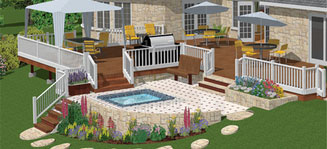
Decks
Creating your new deck is easy with the Deck Builder Wizard - just select materials and dimensions to create your space, then add plants, fences and accessories for that finished look!
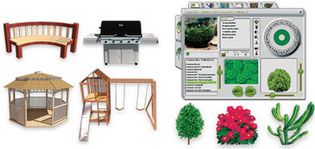
Hardware & Accessories
Make your property’s outdoor living space totally unique with custom features that work for every season.
Lighting and Irrigation
Add lighting to flowerbeds, shrubbery and pathways, plus pop-up sprinklers with different spray ranges.
See Your Landscape Design Seasonally
Fences, Gates & Walls
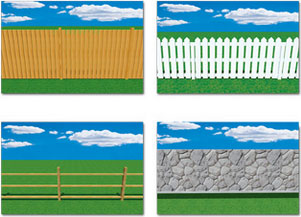
Build fences and gates with complete control over the number of posts, post size and rotation.
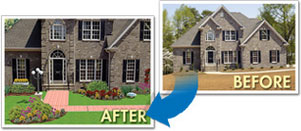
Add Landscaping to Digital Photo
Visualizing your new Landscaping is easy - just import your digital photos, add plants, fences and accessories and within minutes, you’ll have created a new, distinctive outdoor space!
Design in 2D or 3D
Simply drag and drop trees, plants, and flowers from our massive plant library. Even see the size of plats as they grow from year to year, making planning easy. Then view your space in 3D to fine-tune your design.
Plant Encyclopedia
Our Plant Encyclopedia has more than 7,500 trees, plants, flowers, shrubs and groundcover options with important information about light, watering and soil requirements.
Easily plan room additions, remodeling and other projects. Then see the results in photo-realistic 3D! Even take a virtual “walkaround” in your new space.
1. SKETCH
Drawing new rooms and walls is as easy as clicking and dragging your mouse. Or get started even faster with wizards for virtually any project. Plus, you can even import existing plans straight onto the software.
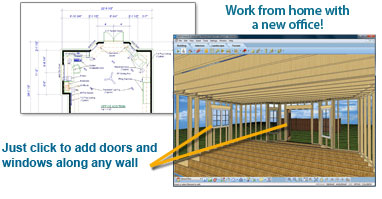
- Walls: Easily draw interior and exterior walls that automatically connect.
- Doors: The door wizard easily adds a variety of door types – sliding, French, bi-fold, even garage doors.
- Windows: Add any type of window at any size, such as hung, sliding, bay, or louvered.
2. CUSTOMIZE
Specify doors and windows. Then add cabinets, lighting, window coverings, flooring, paint and more. It’s easy to design your entire project in 3D!
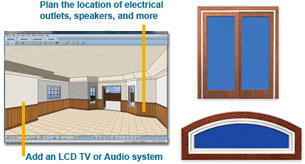
- Choose paint, stains, and fabrics from leading national brands.
- Select furniture, appliances, electronics and fixtures from an extensive library.
- Pick your favorite flooring and cabinets for kitchens and baths.
- And much more!
3. FURNISH
Add office equipment and furnishings. Then render your design in photorealistic 3D - and your plan is complete!
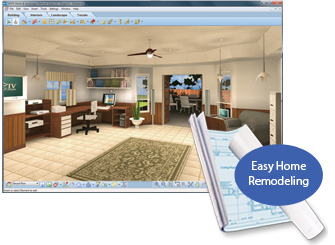
- Photo-realistic 3D Views: Using this comprehensive remodeling software you will be able to view your new design in 3D.
- 3D Walkthrough: Create and take virtual tours throughout your finished room. Plus, easy zoom and navigation let you see your space from all angles!
With Virtual Architect Home Design & Remodeling Suite's photo-realistic 3D visualization capabilities, you can design your dreams then watch them come to life!
    |
Here's what you need to run Virtual Architect V12:
- Windows 11 / 10 / 8
- 64 bit operating system
- 2.0 GHz or faster Processor**
- 8 GB RAM (4 GB minimum)*
- 30 GB available hard disk space minimum
- USB drive or Internet connection for install***
- 1024 x 768 display
- 2 GB Dedicated video card (1 GB minimum)*
- Windows-compatible mouse
- Internet connection for online features***
- Internet browser to view online help***
VR System Requirements:
HTC Vive
- Graphics Card: NVIDIA ® GeForce ® GTX 1060 or AMD Radeon RX 480 equivalent or greater
- CPU: Intel Core i5 4590 or AMD FX 8350 or greater
- RAM: 4 GB or more
- Video Port: 1x HDMI 1.4 port, or DisplayPort 1.2 or newer
- USB Port: 1x USB 2.0 or faster port
- Windows® 10, Windows® 8 or later
Oculus Rift
- Graphics Card: NVIDIA GTX 1050 Ti / AMD Radeon RX 470 or greater
- CPU: Intel i3-6100 / AMD Ryzen 3 1200, FX4350 or greater
- RAM: 8 GB or more
- Video Port: Compatible HDMI 1.3 video output
- USB Port: 1x USB 3.0 port, plus 2x USB 2.0 ports
- Windows 10 or later
To test your current computer for VR compatibility you can select from one of these two links.
*Additional system and video memory will improve speed and 3D Real View™ rendering capabilities.
**System Configuration: May require minor adjustments to the configuration of your operating system and /or updates to the hardware component drivers.
***User is responsible for all Internet access fees and phone charges.